Speech-to-Text
Dictate messages to AI agents using voice input.
Overview
OpenCode Manager supports two STT providers:
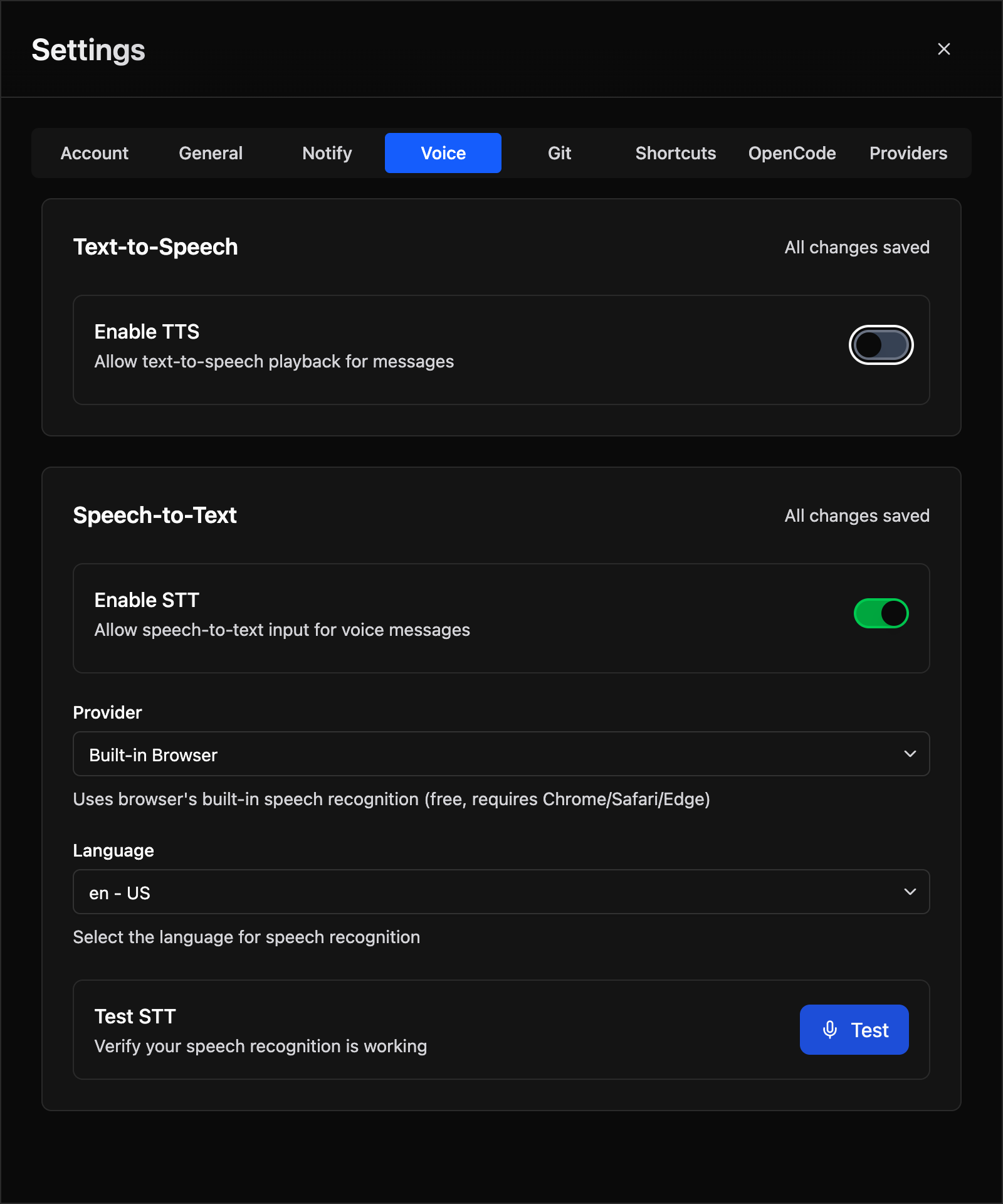
- Built-in Browser - Uses your browser's Web Speech API
- External API - OpenAI-compatible STT endpoints (Whisper)
Built-in Browser STT
Uses your browser's built-in speech recognition via the Web Speech API.
Advantages
- No API key required
- Works without server communication
- Free to use
- Interim results while speaking
Limitations
- Voice recognition quality varies by browser/OS
- Not supported in all browsers
- Language support depends on browser
Setup
- Go to Settings > Voice
- Under Speech-to-Text, select Built-in Browser provider
- Optionally configure language
- Click the microphone button in the chat input to test
External API STT
Connect to OpenAI-compatible STT endpoints for higher accuracy transcription.
Advantages
- Higher accuracy transcription
- Consistent across devices
- Supports many languages
Limitations
- Requires API key and endpoint
- Requires network connection
- Server-side processing
Setup
- Go to Settings > Voice
- Under Speech-to-Text, select External API provider
- Enter the STT Server URL:
- OpenAI:
https://api.openai.com
- OpenAI:
- Enter your API Key
- Wait for model discovery
- Choose a model (e.g.,
whisper-1) - Optionally set language
Compatible Services
Any OpenAI-compatible transcription API works:
- OpenAI Whisper
- Azure OpenAI
- Self-hosted Whisper servers
- Local STT servers with OpenAI-compatible API
Using Voice Input
Tap-to-Start / Tap-to-Stop
- Tap the microphone button in the chat input to begin recording
- The button shows active recording status
- Tap the stop button when you have finished speaking
- The transcribed text is inserted into the input field
- Review and send
Recording States
| State | Indicator | When it appears |
|---|---|---|
| Recording | "Recording…" | Microphone is active; audio is being captured |
| Processing | "Processing…" | Audio sent to STT backend; waiting for transcript (external provider only) |
| Interim text | Live partial transcript | Browser is streaming partial results in real time (built-in provider only) |
Cancelling
Tap the cancel (×) button during recording to discard the recording without transcribing.
Errors
If recording fails — microphone permission denied, startup timeout, or transcription error — a brief error message appears and auto-dismisses after 3 seconds. No text is inserted.